 My Earth Toy
Teachers' guide
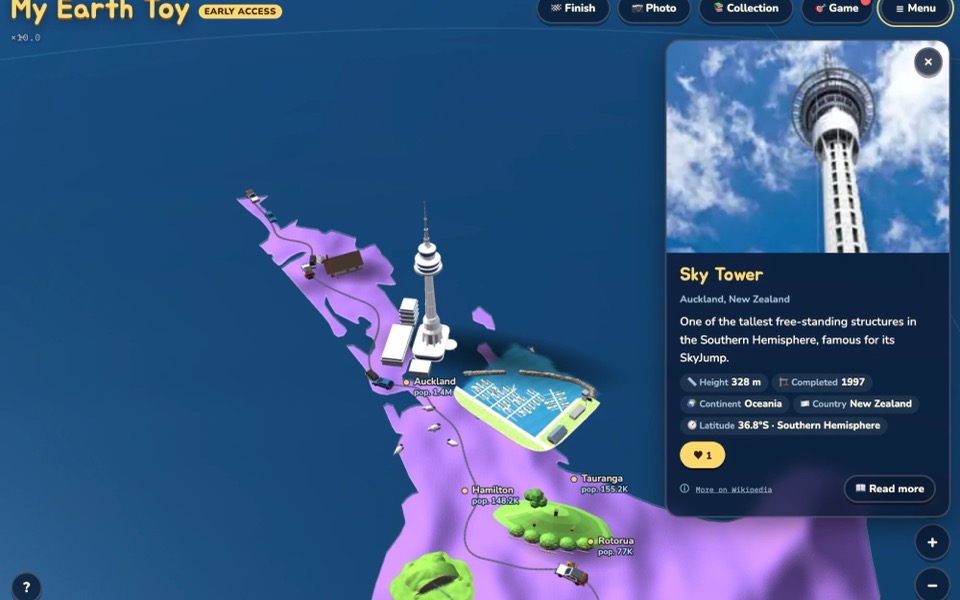
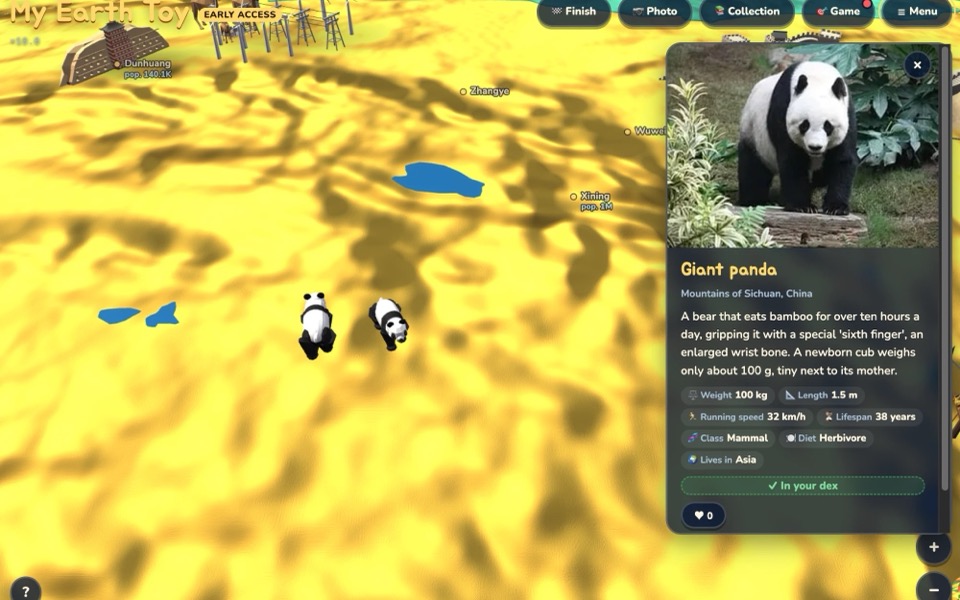
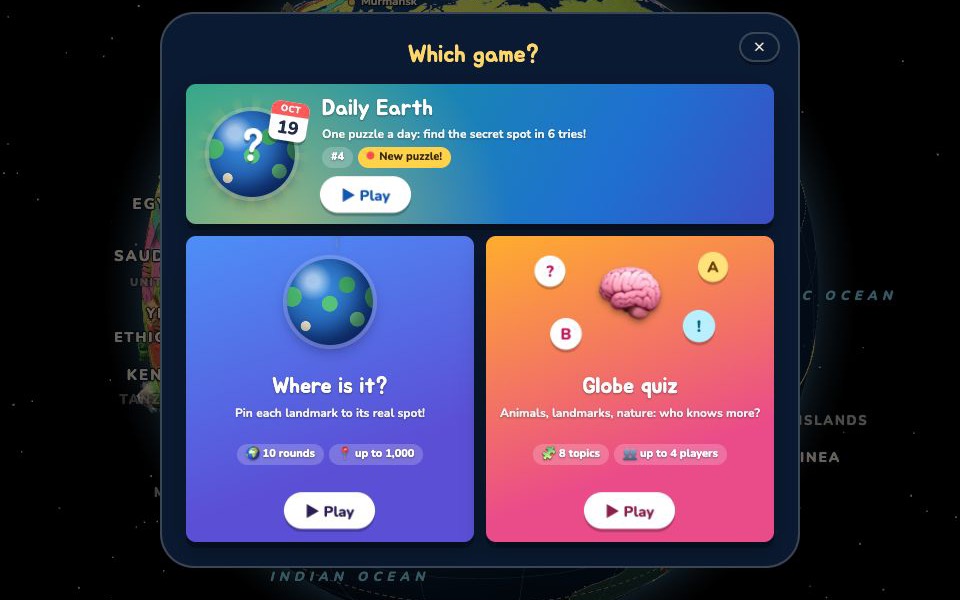
My Earth Toy is a free 3D toy globe for curious kids: landmarks, animals, ships and planes you can ride, map games, a quiz and even a hidden trip to the Moon. School mode needs no accounts, no emails and no sign-in.
Ready in 30 seconds
- 🔗Open myearthtoy.com/school on each device
- 🌍Explore: no sign-in, no accounts, no emails
- 🏁Finish and write down your own code to carry on next time
What children can explore
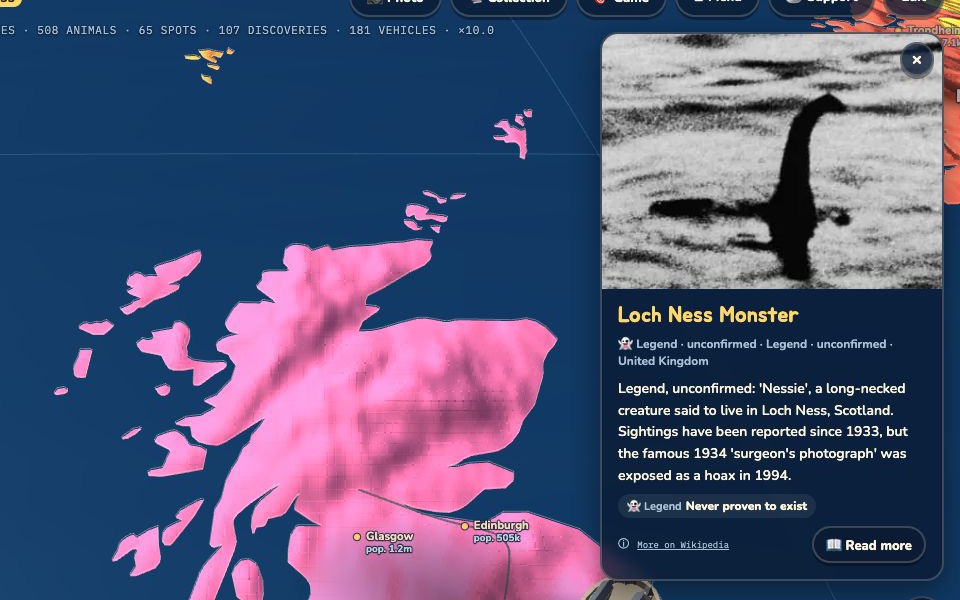
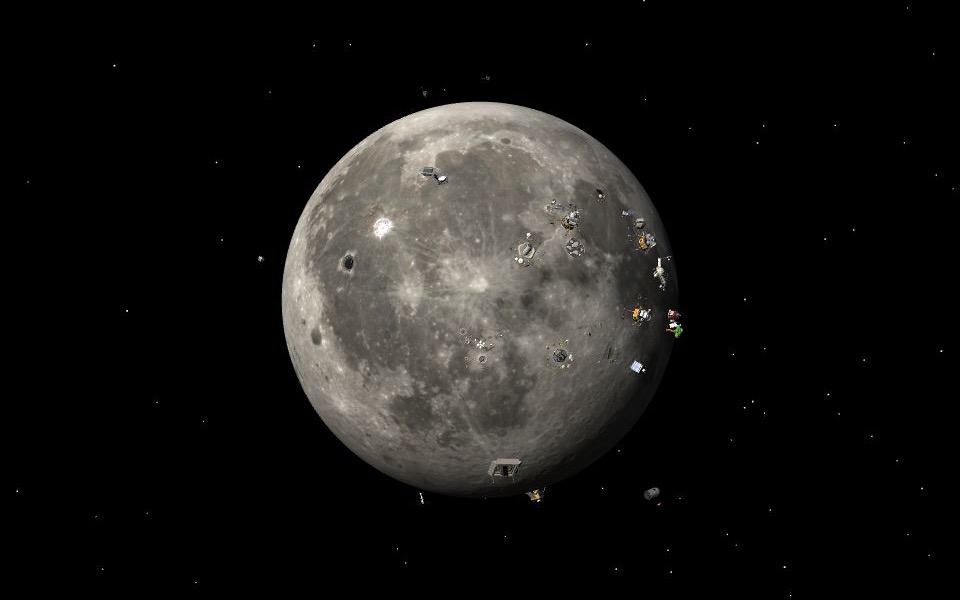
In class: 4 steps
- Open
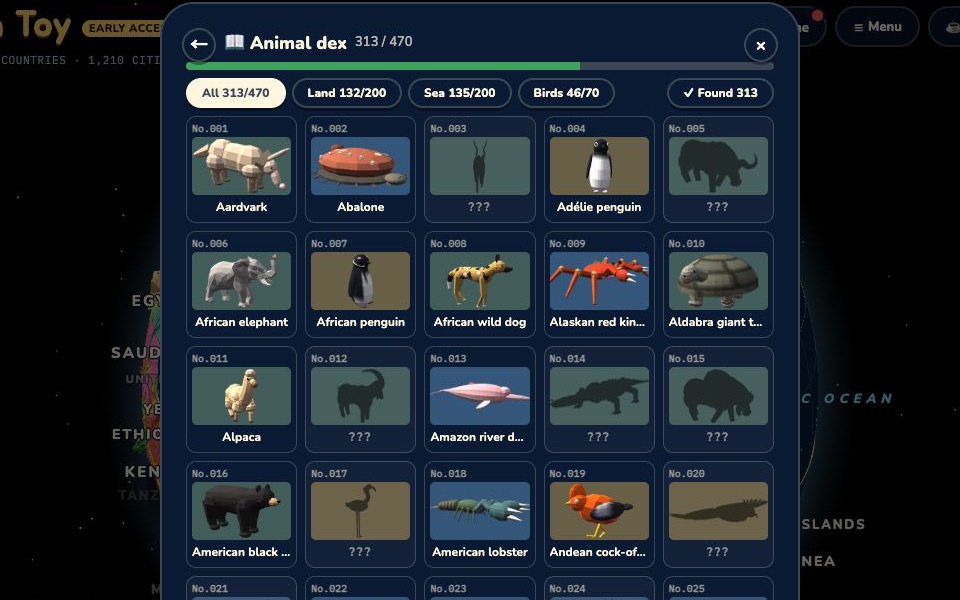
myearthtoy.com/schoolon each device (a bookmark, a Google Classroom post, or the QR code above). Everything works straight away, with nothing to sign in to. - Explore. Spin and zoom the globe, tap anything for a photo and facts, collect animals in the 📚 Collection, play 🎯 Game (find it on the map, or the quiz). Zoom all the way out and tap the little Moon for a secret trip.
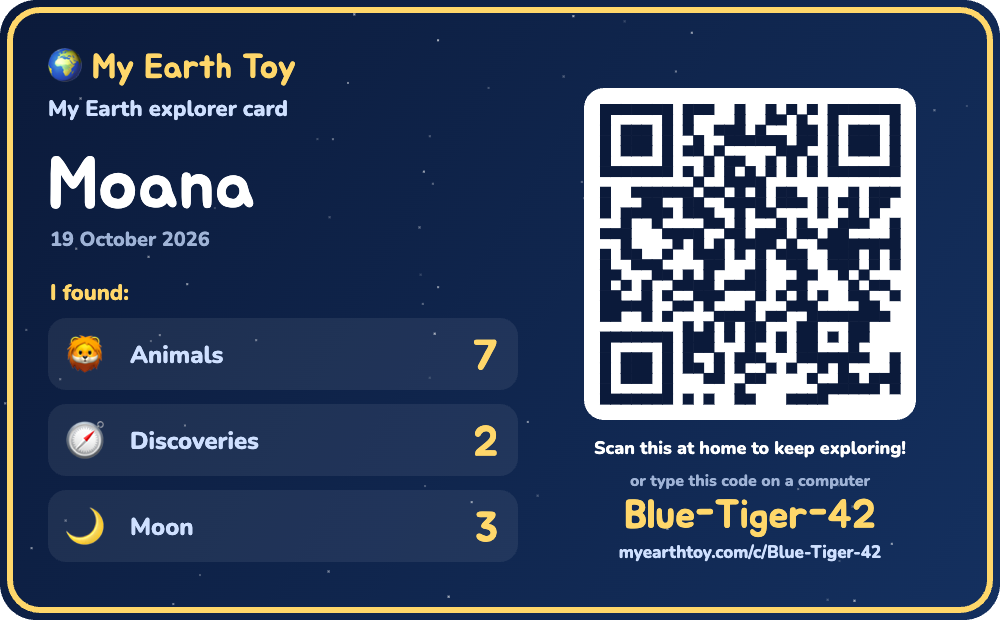
- When time is up, press 🏁 Finish and type a first name. A take-home card appears with the child’s own code, for example Blue-Tiger-42. Ask them to write the code down: that code is all they need to carry on next time. The name only goes on the card and is never sent anywhere.
- Keep the card: 📋 Copy link and paste it into Google Classroom (you get a copy too), 💾 Save picture, or 🖨️ Print. On shared Chromebooks press 🧹 Clear for the next friend before the next child sits down; ▶ Keep playing goes back to the globe.
📖 The encyclopedia: great for reading
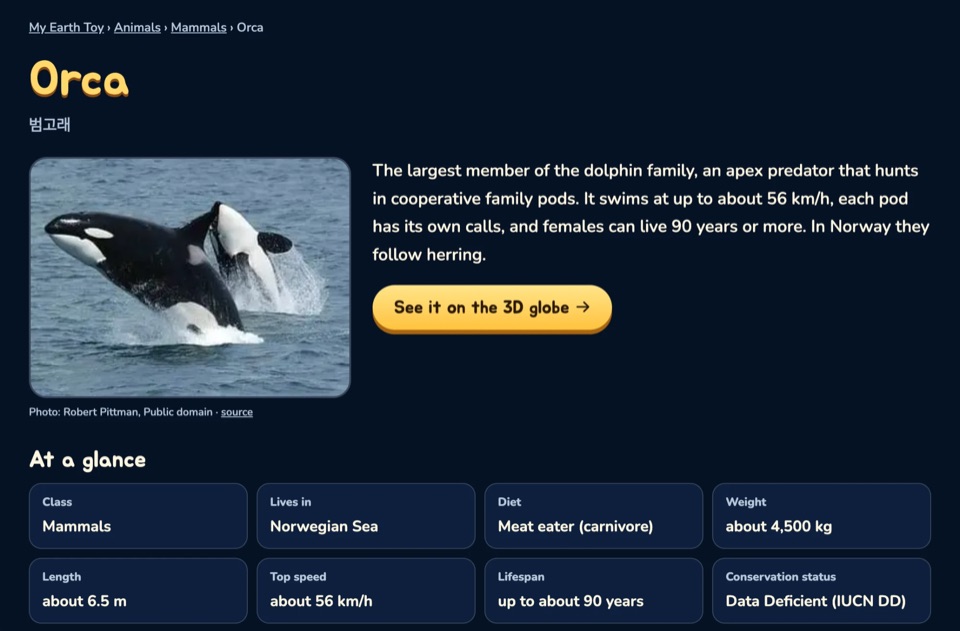
Every landmark, animal and discovery has its own illustrated page with a photo, “at a glance” facts and a short read written for kids. Use it for research tasks, a reading corner or early finishers, and every page has a button that flies straight to it on the 3D globe. It works without the globe too, so it is light enough for any device.
🖨️ Printable worksheets & quiz questions
One printable geography worksheet per continent, with an answer key on its own page, plus quiz questions with answers by continent and topic and kid-friendly world rankings (tallest, oldest, fastest…). All made from the same checked facts as the globe.
At home
📱 On a phone
Scan the QR code on the card. The child's animals, discoveries and records come back and they carry on.
💻 On a computer
Type myearthtoy.com/c/ and the code, for example myearthtoy.com/c/Blue-Tiger-42. Capital letters and spaces don't matter.
☰ From the menu
On myearthtoy.com open ☰ Menu → Continue with a school code and type the code.
Next lesson, children open their own code link (or type it) to continue where they left off. Finishing again on the same computer updates the same code.
Privacy
No accounts
School mode never asks for a sign-in, an email address or any personal details.
Names stay on the card
The first name is drawn on the card picture only. It is not sent to us and it is not in the link.
What a code keeps
Only game progress: which animals, discoveries and Moon spots were found, and game and quiz scores. Unused codes are removed after about a year.
If it won't load
The globe is a 3D page and needs a recent Chrome, Edge, Safari or Firefox (Chromebooks are fine). If it stays on the loading screen, your school filter may be blocking part of the site. Ask your IT team to allow myearthtoy.com and, for the take-home codes, *.supabase.co. Everything else the page needs now comes from myearthtoy.com itself.
Ideas for lessons
🌏 Landmark hunt
"Find three landmarks on a continent you have never visited" and share one fact from each card.
🦁 Habitat match
Collect five animals and sort them by where they live: ocean, desert, rainforest, ice.
🌙 Moon missions
Fly to the Moon and find where Apollo 11 landed. Which countries have sent rovers?
📖 Reading corner
Pick an animal from the encyclopedia, read its page and tell a partner three facts. Then find it on the globe.